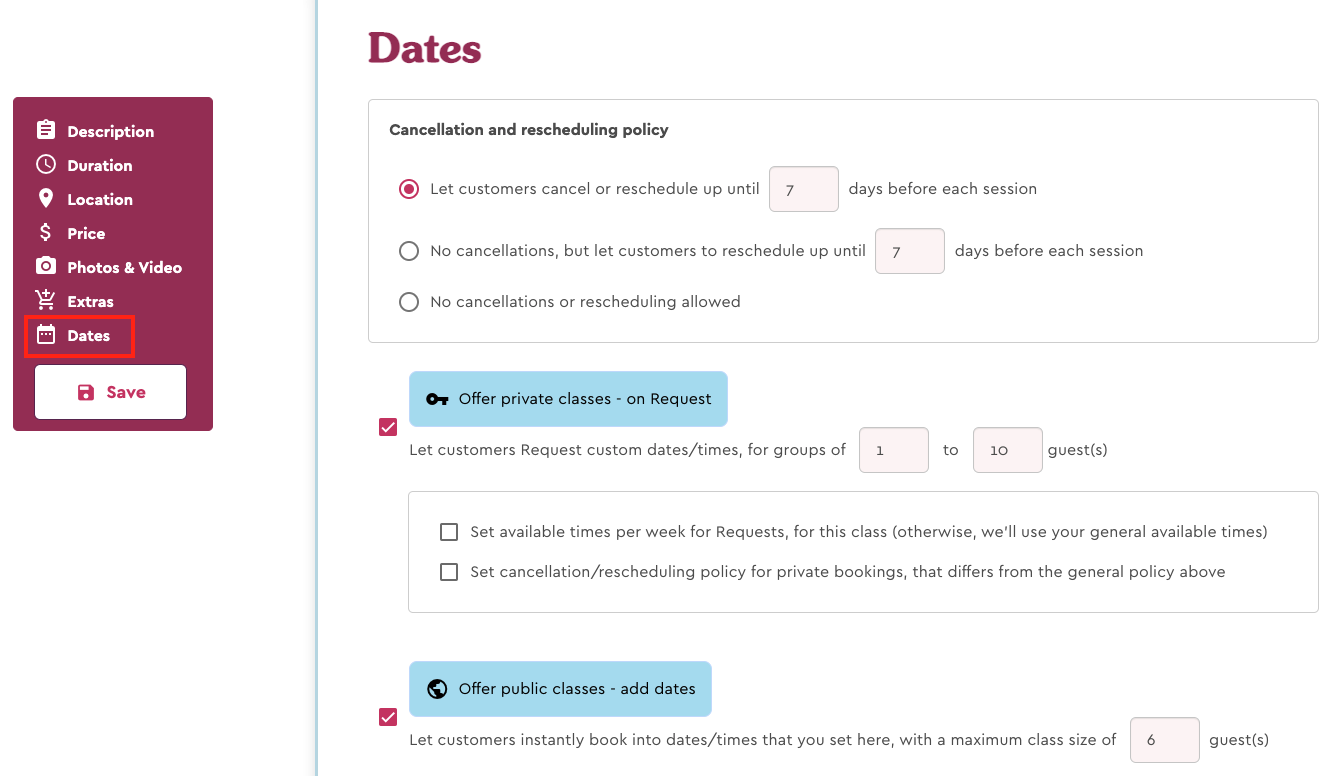
To update your class availability, you’ll need to navigate to the “Dates” section for the listing.
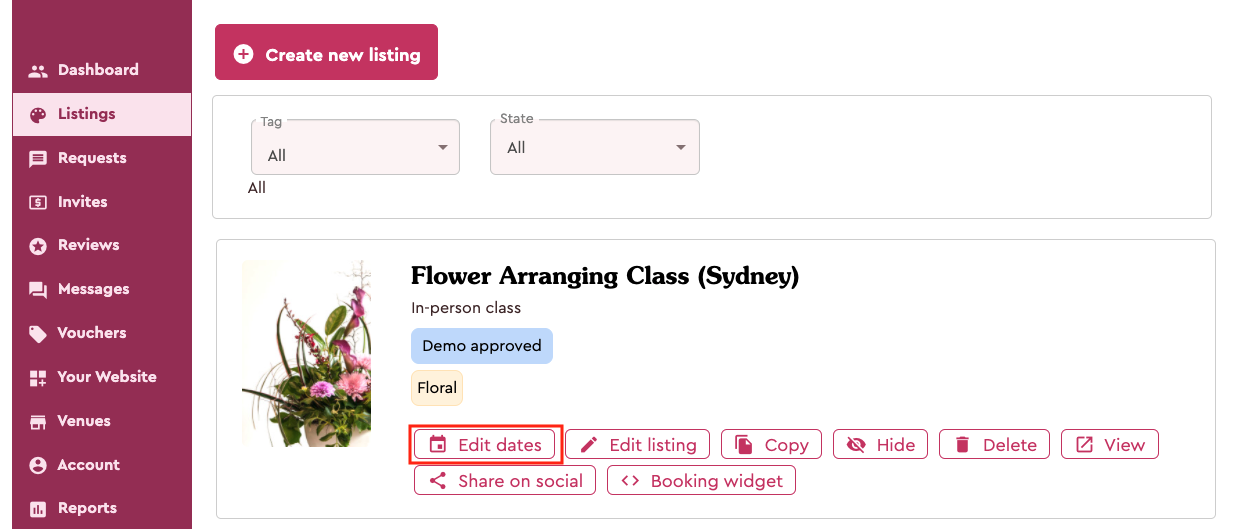
To do that, click on "Listings" in your Dashboard.
For a listing that already has public classes enabled, you can click the “Edit dates” button.
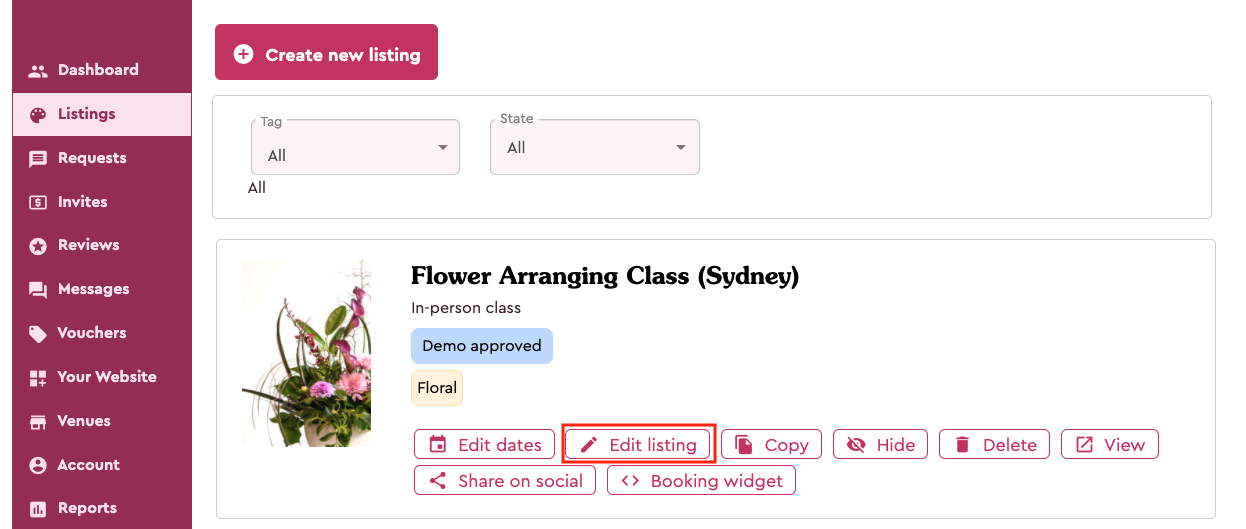
Alternatively, if you need to update other parts of your listing as well as the availability or want to enable public class dates, you can click on "Edit listing". Then click the “Dates” button in the left-hand menu to navigate to the “Dates” section.
Comments
0 comments
Article is closed for comments.