You may decide that for your class, you want one ticket to cover the cost of two tickets. One example of this may be if your listing is related to “Date Night”.
The best way to set up your tickets is to use ticket types.
Please note: In order to use this option, you need to have at least two ticket types.
- Head to the “Edit” page for your listing.
- Go to the “Price” section.
- Click “Add ticket type”.
- Enter the total cost of your first ticket type, for two guests. For the ticket description make it clear what the total cost of that ticket covers (e.g. two guests).
- Enter the total cost of your second ticket type, for four guests. For the ticket description make it clear what the total cost of that ticket covers (e.g. four guests).
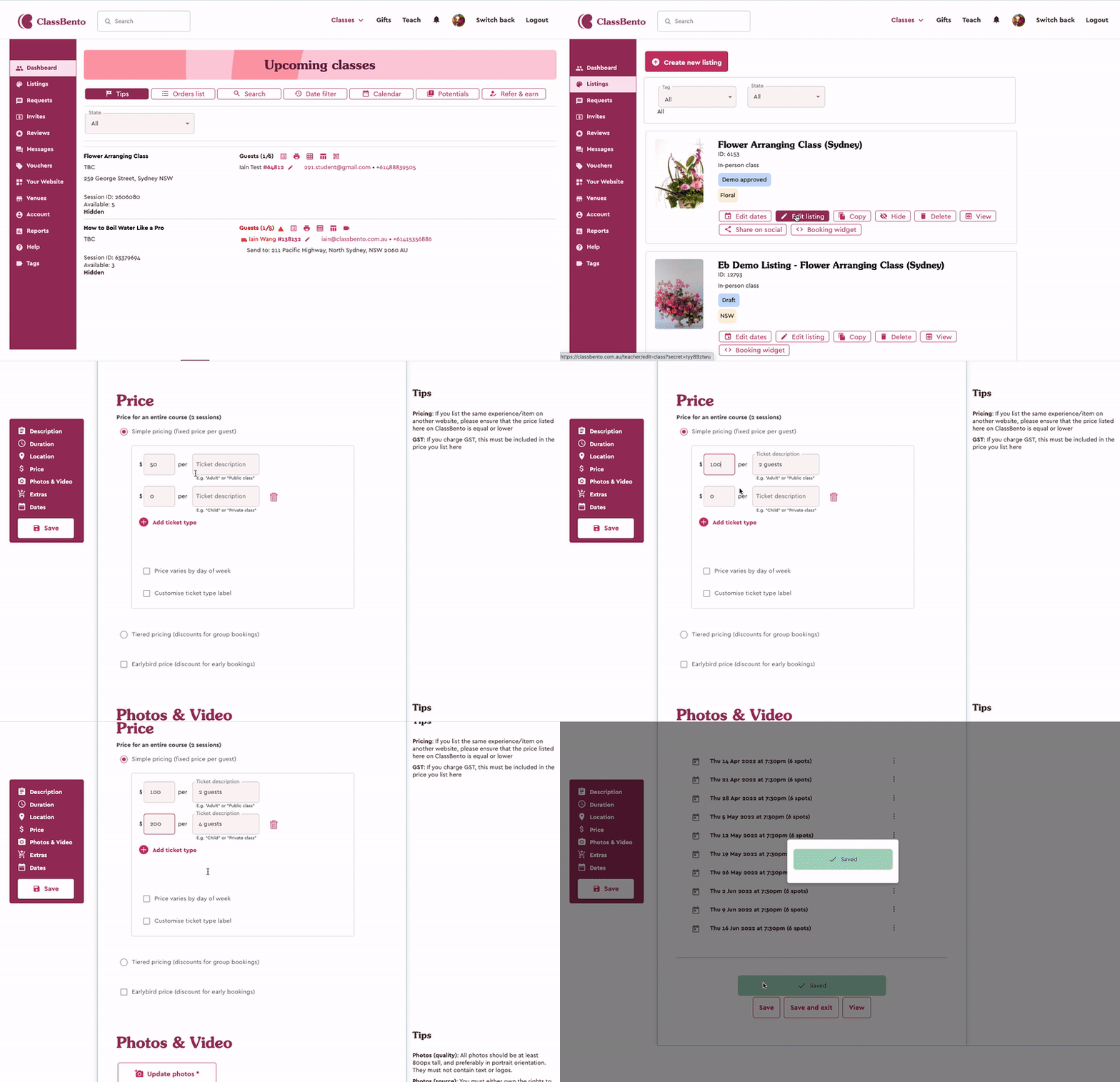
- Make sure that your spots available to book are accurate, as now when someone purchases one ticket, it is for two guests. For example, if you have 10 spots available in each class, you would make 5 spots available to book.
- Save your listing.
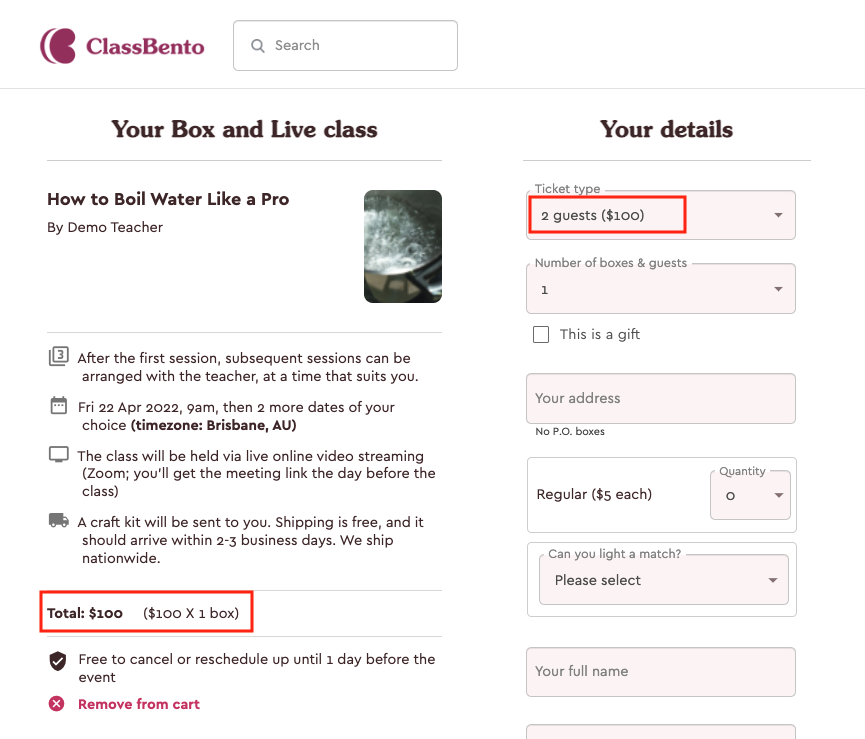
Now when students go to your listing checkout page to book, they’ll choose from the ticket types and will clearly see what each ticket type includes.
This will also change how the gift card option on your listing looks.
Comments
0 comments
Please sign in to leave a comment.